

Everything in it, and the parts that are not
164 capabilities across 16 areas. The ones that are limited or missing are marked as such, because a list with no gaps in it is a list nobody checks twice.
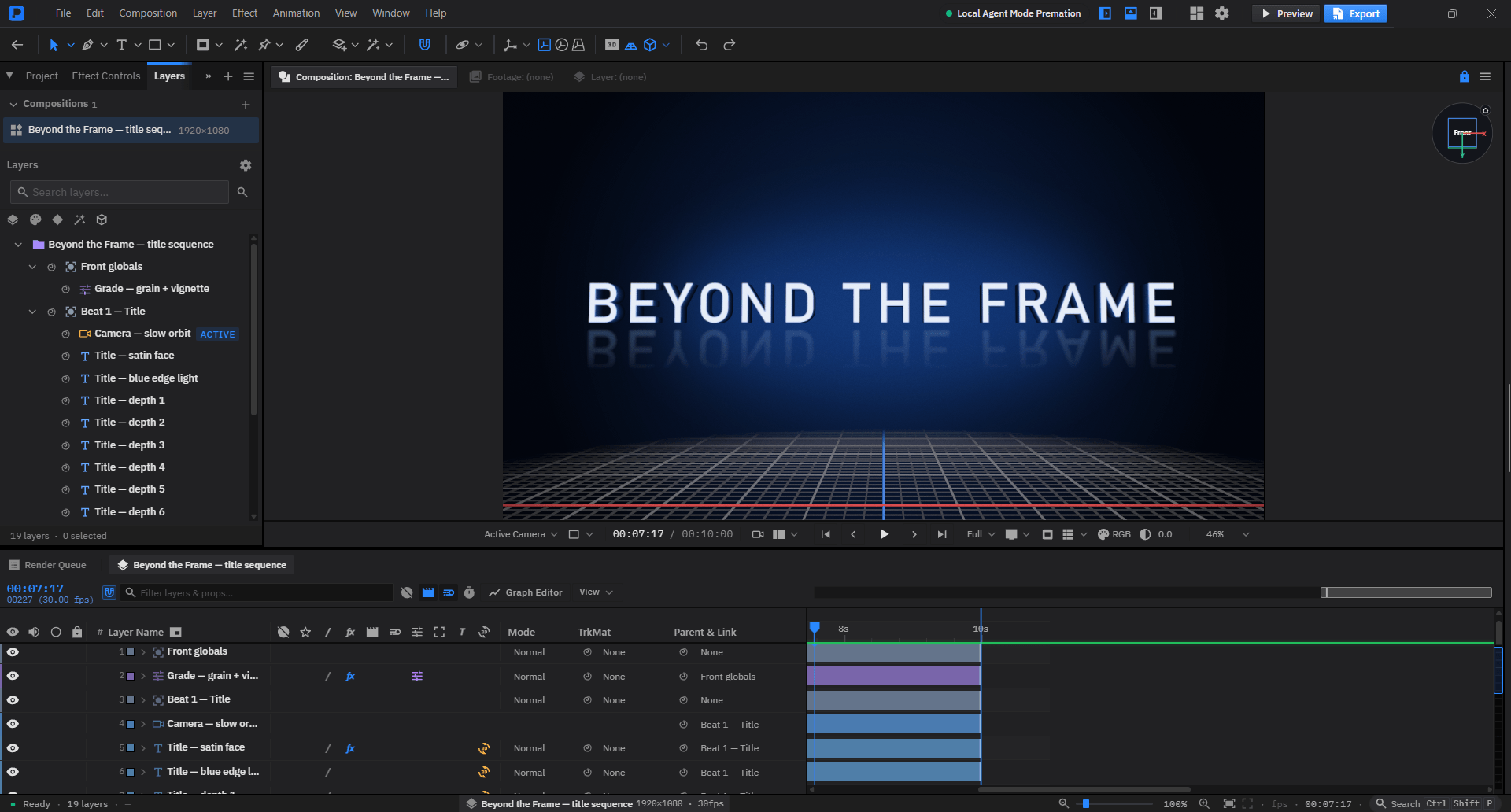
Compositions and layers
The stack everything else happens in. Nest one composition inside another, and it renders through its own camera until you tell it not to.
- Layer types
- Shape, text, image, video, audio, SVG, Lottie, nested comp, camera, light, null, adjustment, particles, and 3D models.
- Pre-composition
- Nest and instance a comp more than once, with time remapping. Collapse transformations to let it meet the host's space.
- Parenting
- Loop-safe. Re-parenting compensates the local transform, so the layer does not move when you attach it.
- Adjustment layers
- Affect everything beneath them, and break the 3D stack the same way a 2D layer does.
- Guide layers
- Visible while you work, excluded from every export.
- Blend modes
- All 38 of After Effects' modes, Dissolve and Dancing Dissolve included.
- Track mattes
- Alpha and luma, invertible, and decoupled from stacking order so the matte need not sit directly above its target.
- Masks
- Bezier paths, 7 modes, uniform or per-vertex feather (the Mask Feather tool, drawn by the engine since 1.0), and a mask can scope a single effect rather than the whole layer.
- Layer menu conversions
- Create Shapes from Text and Create Masks from Text use the font's own outlines. Convert to Editable Shapes and Editable Text for SVG, Separate a shape layer into its parts, and Uncompose a precomp back into its layers. Uncompose refuses when the picture depends on the composing (effects, masks, 3D, collapse, retiming).
Animation
Every numeric property takes keyframes, and every keyframe carries its own interpolation.
- Graph editor
- Value and speed curves side by side, with real bezier handles that work on linear keys too, and tangent alignment.
- Separated position
- X and Y are independent tracks, so they can ease differently.
- Keyframe assistants
- Easy ease, exponential scale, time-reverse, sequence layers with a real cross-dissolve overlap, stagger, and scaling a keyframe selection in time.
- Bounce
- A decaying bounce generated after the last keyframe, with gravity, elasticity and bounce count. No easing curve can express one, because a bounce is several.
- Motion paths
- Visible and editable on the canvas, with configurable dot spacing.
- Motion sketch
- Record a layer's position by dragging it in real time.
- ExpressionsLimited
- A sandboxed language with coordinate-space helpers and marker access, run by the native engine. Source text can be driven by an expression. Convert to keyframes at any point, or disable one without deleting it. Not general JavaScript.
- Time remapping and stretch
- Retime a nested composition on its own curve. Time Stretch works on any layer, not only footage.
- Motion blur
- Shutter angle and phase, adaptive sampling, two-level gating as in After Effects.
- Smart Animate
- Design two boards, name the elements the same, get the transition between them as ordinary keyframes. Neither board is touched.
- Animate In / Out
- A whole selection arrives one after another — varied entrances, uneven stagger, under a project-wide Motion Feel (Snappy / Smooth / Bouncy).
- Beat-synced timing
- Markers on the beats of the composition's audio, and entrances that land on them.
Video
What a motion tool actually needs to do to footage: follow something in it, retime it, caption it, and recut it for every aspect ratio.
- One-click motion tracking
- Click the thing you want followed; feature choice, window sizes and search radius are measured from the footage. Tracks both directions from the playhead; rotation and scale ride on a companion point.
- Stabilization
- The same tracker run in reverse: steady a shot instead of following it.
- Planar and corner-pin tracking
- Drag four corners onto a plane, or track a dense grid of features inside it and fit the plane by RANSAC so partial occlusion cannot drag it. Apply as a corner pin or mesh warp, or create nulls per plane.
- 3D Camera TrackerLimited
- Structure from motion with bundle adjustment from tracked features, falling back to a planar pose when the points are coplanar. The solve is sparse, and it is newer than After Effects' camera tracker, so expect it to trail on difficult footage.
- Roto Brush and Object MatteLimited
- Paint on the subject and a neural segmentation model that ships with the app cuts it out. By default the Roto Brush runs that model on every frame forward or back, with a soft matte, edge refinement, decontamination and chatter reduction; a classic mode carries the outline by colour and motion instead. Freeze locks the result. Expect it to trail After Effects' Roto Brush 3 on difficult footage.
- Face trackingLimited
- Track a face as an outline or as detailed masks and nulls. The landmark model downloads on first use.
- Content-aware fillLimited
- Window ▸ Content-Aware Fill: Object, Surface and Edge Blend methods, lighting correction and painted reference frames, filled across frames in both directions. Classical patch matching rather than generative.
- Speed ramps
- Ease into 25 / 50 / 200% or a freeze at the playhead — two exact keyframes on an editable curve, on video, audio and pre-comps. Slowing turns on Pixel Motion blending.
- Captions
- Import .srt/.vtt or generate from the composition's audio. Every caption is an ordinary text layer whose clip bar is its cue window; export reads the bars.
- Auto-reframe
- Retarget to 9:16, 1:1, 4:5, 16:9 or 4:3 — a new comp instancing the original, subject-following pan, hard jumps at cuts.
- Multi-track editingNot in it
- Not a goal. Cut long-form in an NLE and bring the finished sequence in as footage.
Text
The full After Effects animator model, including the parts most alternatives skip.
- Text animators
- Animate position, scale, rotation, opacity, tracking or colour across characters, words or lines.
- Range selectors
- Start, end, offset, amount, smoothness, and both ease controls — the full Advanced set.
- Multiple selectors
- Stack more than one selector on a single animator.
- Wiggly selector
- Frequency-driven randomness across the selection.
- Per-character 3D
- Each glyph gets its own transform in 3D space.
- Text on a path
- Glyphs placed by arc length with tangent rotation, along a mask path, with keyframeable first margin.
- Right-to-left and bidirectional text
- Arabic and Hebrew, mixed with Latin in one line (since 0.8.3).
- Vertical writing
- Vertical columns with tate-chu-yoko and kinsoku line-breaking for CJK (since 0.8.3).
- Optical kerning
- Pair spacing measured from the glyph shapes, not only the font's kerning table (since 0.8.3).
- Presets
- 18 text presets to start from.
- Fonts for every script
- Since 1.0 a bundled set of open fonts (Inter and Noto, including Japanese, Chinese, Korean, Devanagari, Thai, Arabic and Hebrew) ships with the app. A character the chosen font lacks falls back to a system font, and a missing font is reported by name instead of breaking the export.
Try the animator model — type your own words, pick a preset, scrub the range:
The range selector sweeps left to right and each letter rides up over the crest.
Vector and shapes
Draw with real tools, then stack operators on the path in any order.
- Drawing tools
- Pen, pencil, pressure-sensitive brush, curvature tool, and the primitive shapes.
- Path operatorsLimited
- An ordered, stackable chain: offset, pucker and bloat, twist, zig-zag, round corners, wiggle paths, and boolean merge. Rounded rectangles keep their corners under every operator.
- Trim paths
- Start, end and offset, keyframeable, handling the wrap-past-end case correctly.
- Repeater
- Copies with position, rotation, scale and opacity offsets, cumulative in each copy's own rotated frame.
- Merge paths
- Union, subtract, intersect and exclude, evaluated live at render or applied destructively.
- Strokes
- Taper and Wave profiles that compose with dashes, gradient strokes exposing every stop, and a dash offset that animates.
- Subpaths
- Geometry is a list of subpaths rather than one polyline, so a trim can cut a path into pieces and each piece can carry its own fill, stroke and opacity.
3D space
The Classic 3D model: flat layers standing in a shared space, lit and shot with real cameras — and imported 3D models with PBR materials.
- 3D layers
- Flip any layer to gain Z position and X/Y rotation. Layer styles and effects stay on extrusions, primitives and models.
- Cameras
- One- and two-node, with depth-of-field blur, camera navigation and a camera tool.
- Lights
- Point, ambient, spot, parallel and environment lights, with cone angle, falloff, shading, projection and cast shadows. An environment light can take its colour from a sky preset, any image, an EXR or a Radiance .hdr, or live from another layer in the comp.
- Extrusion and bevels
- Beyond Classic 3D: rounded bevels, per-face materials, face picking.
- 3D models
- Import .glb, .gltf, .obj, .fbx, .usda and .usdz; each is converted to glTF on the way in. A 3D null per node, a mesh layer per primitive, skinning against joint layers, morph targets, baked animation clips, vertex colours and the glTF PBR map set. Height displacement from an image works on extrusions, primitives and models.
- Shading and atmosphere
- Shadow maps for the shadow-casting lights, SSAO, distance fog, reflections of the environment and (with Reflect Layers) of other 3D layers, and a Ground Shadows catcher. Composition Settings has a Renderer tab for shadow-map size, how many lights cast shadows, SSAO quality, depth-of-field quality and MSAA.
- 3D speed
- Since 1.0 a 3D layer's effect chain is cached and sized to the layer, a layer that only moves reuses it, and shadow maps, SSAO and reflections are reused between frames when nothing they depend on changed. In the repository's heavy-3D benchmark the median first-pass frame went from 23.5 ms to 7.0 ms; that is the project's own benchmark on one laptop GPU, not a comparison with other software.
- Views
- Orthographic top, front and left, plus multi-view layouts and custom angles, over a ground grid the engine draws with depth.
- Gizmos
- Move, rotate, scale and universal, drawn at a constant size on screen at any zoom.
- Advanced 3D material renderingNot in it
- Transparency is a Fresnel-faded alpha, not a refraction. No Substance material graph and no ray-traced reflections.
Rigging
A real skeleton and a mesh deformer, composing on the same layer. After Effects has neither without a plugin.
- Auto-rig presets
- Biped and quadruped: bones, IK chains and controllers built in one operation.
- Bones
- Forward kinematics with linear blend skinning over a triangulated mesh.
- IK
- Analytic two-bone and FABRIK, with pole vectors.
- IK/FK switching
- Per chain, and the conversion preserves the pose.
- Controllers
- The DUIK posing layer, linked to a bone or an IK target and read by the solver directly.
- Weights
- Auto-bound by inverse distance, then painted or typed per vertex.
- Puppet pins
- An as-rigid-as-possible solver over the same mesh, with rotation, stiffness, scale and overlap.
- Bend pins
- A pin whose position derives from the others.
- Puppet sketch
- Record pin movement by dragging, in real time.
Effects and looks
Fewer than After Effects, parameterised properly. Still the honest gap, and a much smaller one than it was.
- Colour correction
- 47 of them: Levels, Curves, Brightness & Contrast, Color Balance (HLS), Channel Mixer, Colorama, Lumetri, Selective Colour, Shadow/Highlight, White Balance, Clarity, Gradient Map, Duotone, Split Toning, Bleach Bypass, Cineon Converter, the auto set, and Apply Color LUT.
- Blur and sharpen
- 18: Gaussian, fast box, directional, radial, channel, compound, bilateral, smart, camera lens blur, tilt-shift, frosted glass, sharpen and unsharp mask.
- Distort
- 40: Bezier Warp with a Coons-patch interior, mesh warp, liquify, optics compensation, lens distortion, polar coordinates, ripple, warp, heat haze, camera shake, page turn, rolling shutter, corner pin, VR Rotate Sphere, CC Tiler and CC Blobbylize.
- Keying and matte
- 25: Keylight with despill and choke, luma and colour keys, Colour Range, Color Difference Key, Difference Matte, Extract, spill and advanced spill suppressors, Key Cleaner, refine soft and hard matte, matte and simple chokers, Set Matte, minimax.
- Stylize
- 64: glow, Starglow, the Photoshop-style shadow and bevel family, cartoon, halftone, kaleidoscope, brush strokes, ink bleed, oil paint, pencil sketch, VHS, CRT, digital glitch, pixel sort, halation, old film, vignette, add grain, dust and scratches.
- Generate
- 40: beam, gradient ramp, four-colour gradient, color gradients, fractal and turbulent noise, Fractal (Mandelbrot and Julia), lens flare, light leaks, fog, paper, ink splatter, lightning, radio waves, light rays, audio spectrum and waveform, timecode, numbers, and particle generators.
- Transitions
- 19: linear, radial, iris, grid, light, line sweep, venetian blinds, gradient wipe, card wipe, block dissolve, CC WarpoMatic, and the CC radial-scale, glass and image wipes.
- Time
- Echo, posterize-time, wide-time and force-motion-blur — routed through the time plumbing rather than the per-layer effect chain.
- Perspective and channel
- Basic 3D, bevel alpha and edges, spotlight, sphere, cylinder, 3D Glasses, long shadow; Calculations, Set Channels, Blend and channel arithmetic.
- Simulation and utility
- Two folders new in 1.0: Caustics, Shatter and Wave World; CC Overbrights, HDR Compander and HDR Highlight Compression.
- Deep Glow, Energy Beam and Plexus
- A physically based glow with a long tail; a saber-style beam along a mask path, text outline or line with twenty presets; and point-and-line networks over a point cloud, a mask path or live particles.
- Layer styles
- All nine of After Effects' — drop shadow, inner shadow, outer and inner glow, bevel, satin, colour and gradient overlay, stroke — plus Glass, which resolves against what is behind the layer. Keyframeable, and drawn on the GPU since 0.9.0.
- Looks
- 34 preset stacks built on the effects, in the looks, stylize and transitions folders: Teal & Orange, Bleach Bypass, Faded Film, Cross Process, Anamorphic Bokeh, Comic Book and a set of transitions.
- On-canvas handles
- Distort centres and other effect controls are draggable in the viewport, not just in the inspector.
- Mask-scoped effects
- An effect can be scoped to a mask region rather than the whole layer, and faded or mask-scoped effects stay on the GPU.
- Speed
- In 0.9.0, before the sixty effects 1.0 added, all 393 effect benchmark cases ran above 24 fps in the project's own benchmark. That measures this engine against its earlier self, not against other software. Since 1.0 a layer that only moves reuses its effect chain instead of running it again.
- Plugin effects
- Native C++ plugins add effects, listed in the Effects browser's Plugins folder with the presets they ship; see Plugins.
Five of the 275, live — pick one, drag its parameters, bypass it to compare:
Audio
A mixing panel and the audio effects of After Effects 26.3, on the same keyframes as everything else.
- Audio panel
- A VU meter with clipping indicators and peak hold, and two faders that set the selected layer's level and pan. Units in decibels or percent, with a slider minimum.
- Keyframeable level and pan
- Level has a stopwatch like any other property, and Pan is new and keyframeable too.
- Fades and gating
- Fade In and Fade Out are one click each and written as ordinary keyframes. Noise Gate pulls a layer down wherever it is quieter than a threshold.
- Audio effects
- Compressor, Distortion (six characters plus a bitcrusher), De-esser, a three-band parametric EQ, Tone, Flange & Chorus and Reverb.
- Spectrum and waveform on a path
- Audio Spectrum and Audio Waveform can follow a path, including a circle, with side options, softness and hue interpolation.
- Audio-only preview
- Numpad . plays the sound from the playhead in real time without drawing the picture; Numpad * drops a marker while it plays.
- Silence removal and ducking
- Baked to level keyframes you can see and drag.
- Speaker switch and reveal keys
- A speaker switch on every layer; L shows a layer's levels and LL its waveform, on the timeline's own time axis.
The timeline
Where the work actually happens, built to the same anatomy as the tool you already use.
- Clip bars
- Drag to move, drag either edge to trim. Video and audio bars slice the waveform to the audible region.
- Bulk editing
- Select a range of clips, drag a whole group as one bar, stagger a selection (including a zigzag), and nudge by less than a frame (since 0.8.5).
- Waveforms
- Drawn from real peaks, for audio layers and for the audio inside video layers.
- Cache bar
- A band under the ruler showing real frame-cache coverage — the actual RAM-preview state, not an estimate. Cached playback holds full rate on heavy compositions.
- Work area
- Draggable by either edge or the body, and playback loops inside it.
- Markers
- Composition markers on Shift+1..9 and on the ruler, and layer markers stored layer-relative so they travel with a trimmed layer. Reachable from expressions.
- Labels
- A layer's outline on the canvas is its label colour, and one command selects every layer sharing a label — including every layer that has none.
- Ruler
- Timecode labels that honour the composition's start frame.
- Zoom
- Wheel zoom anchored at the pointer, fit to viewport, reset to 100%.
The assistant
It calls the same operations the interface does, so what it makes is editable — from the in-app assistant, or from Claude, ChatGPT, Cursor or Antigravity connected from outside.
- Bring your own key
- Anthropic, OpenAI or Gemini, on your own account. No credits and no plan gate — you pay your provider, not us.
- Assistant connections
- New in 1.0. Dashboard ▸ Connections connects Claude Desktop, Claude Code, ChatGPT desktop and the Codex CLI and IDE extension (through ~/.codex/config.toml), Cursor or Antigravity to a local MCP server on your computer. Free on every plan. ChatGPT on the web cannot start a local server, so it cannot connect.
- You stay in charge
- A connected assistant edits the project you have open while you watch. Stop ends what it is doing, each request it makes is one step in Edit ▸ Undo, and it asks before importing files or rendering a video: you click Allow or Deny.
- In both editions
- The assistant is in the installers and in a build made from the open-source repository. Only where the key lives differs.
- One prompt, one undo
- Everything a run touches lands in a single history entry.
- Reads the document
- Describes the scene, reads tracks, evaluates a property at a time, lists what is available.
- Writes real edits
- Creates layers, sets keyframes and easing, applies effects and presets, builds rigs, poses skeletons.
- Composition tools
- Higher-level moves backed by a hand-authored technique library: titles, lower thirds, logo reveals, camera moves, transitions.
- Self-critique
- A fit critic reviews rendered frames as evidence before the run is accepted.
- Keys never reach the renderer
- In the local edition the key is held in the OS keystore by the desktop shell's main process, which makes the call behind a per-provider endpoint allowlist; the page never sees it. In the installers the key is stored encrypted on our server.
The engine
Since 0.9.0 everything you see, play and export is drawn by a native C++ process. The editor is its interface.
- A separate process
- premation-engine is started and supervised by the desktop app. It owns the document and the renderer; the editor changes the document through the engine's command API, and every command has an inverse for undo.
- GPU through Dawn
- The engine draws with Dawn, the WebGPU library Chromium uses, on Direct3D 12 on Windows and Metal on macOS. There is no software renderer: on a machine with no usable GPU the app says so and quits.
- Measured speed
- In 0.9.0 the viewport held full frame rate on every benchmark composition in the repository: the layer-styles composition went from 19 fps to a steady 30, an Inner Shadow on a 1080p layer from about a second per frame to 3 ms, and Stroke from 0.8 s to about 1 ms. In 1.0 the heavy-3D benchmark's median first-pass frame went from 23.5 ms to 7.0 ms, and Auto resolution stopped switching back and forth during playback. These are the project's own benchmarks, not a comparison with other software.
- Crash-safe recovery
- If the engine stops, the editor keeps running, restarts the engine and replays your work, including edits that were in flight. If it keeps failing you are offered a recovery copy of the project instead of losing it. Since 1.0 a busy renderer is not mistaken for a hung one, and a layer larger than the GPU's texture limit no longer blanks the frame.
- Pop-out viewports
- Each pop-out window renders live from the engine, alongside the main viewport.
- One engine for export
- The Render Queue, Export and the command line all render through the same engine, so a file matches the preview.
- Projects carry over
- The .motion format and its migrations did not change in 0.9.0.
- The old TypeScript engineNot in it
- There is no fallback engine. The JavaScript plugin system that ran on it was removed with it; see Plugins.
Export
The same engine that draws the viewport writes the file.
- Video
- H.264 in MP4, VP9 in WebM with transparency, GIF, and 16-bit ProRes 4444 with alpha.
- HDR
- HDR10 and HLG, encoded by the engine as 10-bit HEVC with HDR10 metadata in BT.2020.
- Sequences
- PNG with alpha, JPEG and EXR, zipped.
- Audio
- The mixdown as WAV.
- Vector and data
- Lottie JSON for web and mobile players, the project as JSON, and edit-decision lists in EDL, OTIO, FCPXML and ALE.
- Template package
- A .mogrt.zip holding a template's fields and its project. It re-imports here; it is not an Adobe .mogrt and does not open in Premiere Pro.
- ffmpeg included
- Since 1.0.1 every installer ships the ffmpeg that MP4, WebM, MOV, GIF and the HDR formats are encoded with. If it goes missing or is blocked, Fix video export downloads the same pinned build, checks it and installs it in one click, before the render rather than after it. Image sequences, WAV and plugin formats are written by the engine itself.
- Plugin export formats
- A plugin can add an export format, listed in the Export dialog's Plugins category and in the Render Queue with its own options.
- Deterministic frames
- Frame time is index divided by fps, never wall-clock, so two exports of one project are identical.
- Render queue
- Add, duplicate, remove, retry, skip, per-job progress and output-module settings. Stop a render and pick up where it stopped, including after a relaunch.
- Command line
- premation render runs the same engine with no window, including --captions, --data and --commands.
- Streams to disk
- Peak memory is one frame. A long export leaves the app usable.
- Refuses bad frames
- A malformed frame aborts the render instead of being written silently.
Files and privacy
A project is a directory on your disk that you can read without this application.
- The .motion bundle
- A directory, not an opaque blob. Assets content-addressed by SHA-256.
- Version history
- Local and structurally shared, so history costs a fraction of a copy per save.
- Incremental saves
- Only what changed is written, to a temporary file that is then renamed over the old one.
- No account, no calls home
- The local edition, built from the repository, never contacts our servers — the API layer refuses to send. It goes online only for things you start: the assistant with your own AI key, an ffmpeg repair download, or the face-tracking model download. The installers are the server edition, with a free sign-in and optional cloud.
- Recent projects
- The local edition opens on your recent projects rather than an untitled scene. Opening one re-baselines history, so undo cannot step back into the previous document.
- Open After Effects projectsLimited
- File ▸ Open takes .aep and .aepx: compositions, layers and parenting, transforms with keyframes and easing, masks, text, and effects matched by name. Footage is relinked by filename. Shape layers arrive as empty groups, an animated mask keeps its first shape, mixed text styling flattens, and expressions come across as text and are not run. An import report lists what did not come across.
- Import
- SVG with CSS animation and SMIL, Lottie, video, audio, images, Illustrator files, and 3D models (glTF, OBJ, FBX, USD). Plugins can add importers for formats the engine cannot read.
- Preset bundles
- Export your saved presets as one file and import it elsewhere. The result reports added, replaced and skipped separately, so a replacement is never read as an addition.
- CollaborationNot in it
- No multiplayer, no review links, no comments. Removed deliberately rather than left half-built.
Templates
Turn a composition into something someone else can fill in without opening the timeline.
- Named fields
- A template field is a named, typed, addressable write target — text, colour, number or media — rather than a note about which layer to edit.
- Media slots
- Drop a still, a video, an image sequence or a whole composition into a slot, with a fit policy. A masked slot uses Cover, because a letterboxed fill inside a mask reads as a bug.
- Protected time regions
- Mark the parts of the timing that must survive a retime, with a marking UI for setting them.
- Fill from a data table
- Point a CSV at the fields and apply a row: forty lower-thirds from forty rows. One row is one undo entry, not one per field.
- Honest refusalsLimited
- Duplicate and blank headers are refused rather than resolved, a blank numeric cell means no value rather than zero, and media columns are reported as skipped so the limit is visible.
Plugins
Native C++ plugins, modelled on After Effects' plugin APIs, run inside the engine: effects, and since 1.0 commands, panels, importers and export formats, installed from a store.
- A native SDK
- SDK 1.2: a versioned C interface with headers you build against, and 1.0 and 1.1 plugins still load. Each effect has one entry point that receives the same kinds of selector calls as After Effects' effect API: about, global and parameter setup, sequence data, frame and smart render, parameter changes, interface updates, and GPU setup and render.
- Parameters
- Sliders, angles, 2D and 3D points, colours, popups, checkboxes, layer references, mask paths, groups, buttons and arbitrary data. The engine keyframes and evaluates them, so a plugin's parameters undo, animate, take expressions and save like a built-in effect's.
- Pixels and time
- 8-bit, 16-bit and 32-bit float pixel worlds, converted the way After Effects converts for effects that are not depth-aware. An effect can check out another layer, its own layer at another time, and parameter values at other times, and it gets the comp's shutter to render its own motion blur.
- The scene
- An effect can read the comp camera, the lights and layer transforms, at the frame or at other times, and the depth of the comp's own 3D layers, so it can draw through the comp camera and be hidden behind the scene. Its output can reach past the layer, in layer or composition space.
- Beyond effects
- New in 1.0, the plugin kinds After Effects splits across AEGP and AEIO: menu commands that edit the project through the engine API (one undo entry each, all rolled back if anything fails), importers for formats the engine cannot read, export formats in the Export dialog and Render Queue, and panels — an HTML page in a sandbox with no network — that dock or pop out into their own window.
- Presets and handles
- A bundle can ship presets, listed under its effect in the Effects browser, and draw handles in the viewport that drag its parameters.
- Per-instance state
- Sequence data is stored in the project. A button press changes the data and the parameters as one undo entry.
- GPU path
- A GPU effect records WebGPU commands into the engine's own command encoder, on its Dawn device, with nothing copied back. A GPU error drops the commands and that frame uses the effect's CPU path.
- Crash guards
- Every call runs inside a guard. A fault in a render call disables that instance and the frame still renders. A fault in setup fails the plugin's load with the reason listed. A hang past the watchdog quarantines the plugin and restarts the engine. An abort or heap corruption ends the engine, and the next start quarantines the plugin.
- Missing never means broken
- A plugin that is not installed, disabled or locked passes the layer through. The project keeps every value, the effect card says why, and the effect comes back when the plugin does.
- Store
- In the installers, Dashboard ▸ Plugins has Store, Installed and Publish. A store install checks the package's hash and its publisher's signature and loads it without a restart; a .pplugin file installs with Install from file or a double-click. Each listing shows an icon, screenshots, an About and notes per version. Third-party plugins are free.
- Premation's own plugins
- Included with Premation Cloud, starting with a 3D model renderer in the Element 3D class. The engine checks a signed entitlement before loading one; without the plan it is locked and passes through with "requires Premation Cloud", and renewing brings it back.
- Bundles
- A folder holding premation-plugin.json and one binary per platform. The manifest and SDK version are checked before the binary is loaded, so a bad plugin is listed as failed with a reason and none of its code has run. A bundle copied into the plugins folder by hand loads on Rescan.
- Samples and a test tool
- Twelve samples in the repository, among them Ripple (CPU), Grade (GPU), Particles, Model 3D (an Element 3D class sample), Silk Waves, a command (Distribute Layers), an importer (PPM / PFM footage), an export format (PPM sequence) and a panel (Layer Stats). A premation-plugins tool lists, renders and crash-tests a plugin folder without the editor.
- ReachNot in it
- No custom layer types and no scripting language like ExtendScript. After Effects, OpenFX and FxPlug plugins do not load, and the store is new. Crash guards are not a security sandbox — a native plugin runs with your privileges, so install ones you trust.
- JavaScript and WGSL pluginsNot in it
- Removed in 0.9.0. Projects that used them still open; their effects and layers are kept in the project (an effect passes the picture through), and one notice names the missing plugins.
How it compares to After Effects
Feature by feature, including the four areas where After Effects is the better tool and this one is not.